Matt's Development Kit (mdk)
This is Matt's Development Kit (mdk). Is that a great name? Nope!
Is it a useful tool? Oh yeah! I use it almost every day.
It's a command-line utility that can perform all sorts of tasks on all sorts of files.
Here's some of the cool stuff it can do:
Convert all webp files to jpg
I have one question for the creator(s) of webp: Why?
mdk image convert jpg *.webp
This summons mdk, tells it we're working with one or more image files, that we're going to convert them to jpg, and that we're operating on all files in this folder that end with webp. Easy!
Convert a movie file
I capture a lot of video (especially while working on my game).
Since I have been cursed to prefer Mac computers, my files are saved as mov which is not my preference.
"Just use OBS" you say, because it can save in any format? I do (for some things), but I prefer mkv when using OBS, because that way the video can be preserved if OBS crashes. It's a whole thing.
Anyway using mdk it's easy to convert between video file types.
Here's how to convert a video file from mov to mp4:
mdk video convert mp4 My_Video.mov
Convert all wav files to mp3
If you and I have talked game dev shop before, then I've probably brought up the amazing Royalty Free Sound Effects Archive: GameAudioGDC.
Go get those SFX!!
Anyway, audio asset packs often provide sound files in formats I don't want to use for various reasons:
oggisn't preview-able in OS X (total dealbreaker for me)wavfiles are often gigantic in file size
So I use this one a lot. Here's how to convert a whole folder of wav files to mp3:
mdk audio convert mp3 *.wav
Of course, converting all ogg to mp3 would look like this (I've included the deletion of the wav files; use with caution!):
mdk audio convert mp3 *.ogg && rm *.ogg
All Commands
With mdk installed, you can get a list of all commands by simply running mdk:
➜  mdk git:(main) ✗ mdk
> Welcome to MDK v0.13.1
- Commands:
  mdk audio compress $path
  mdk audio convert $format $path
  mdk audio normalize $path
  mdk audio reverse $path
  mdk audio volume $volume $path
  mdk image compress $path
  mdk image convert $format $path
  mdk image resize $size $path
  mdk image resize-pixels $size $path
  mdk video compress $path
  mdk video convert $type $path
  mdk video gifify $path
  mdk video resize $size $path
  mdk video resize-pixels $size $path
> MDK exiting
You can also see the commands for individual media types like video with mdk video:
➜  mdk git:(main) ✗ mdk video
> Welcome to MDK v0.13.1
  mdk video compress $path
  mdk video convert $type $path
  mdk video gifify $path
  mdk video resize $size $path
  mdk video resize-pixels $size $path
- Video DONE
> MDK exiting
If you want to try it out, get the code on GitHub. It's not great code, but it is my code and I'm fine with it.
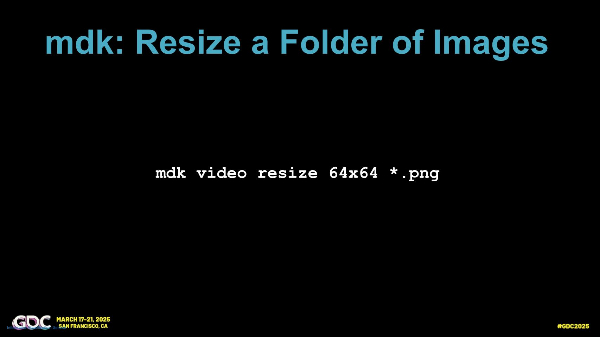
Fun fact: I talked about mdk briefly in my GDC talk!
 Content-Ready Game Development
What's Next?
This is a software project, so naturally there's a never-ending pile of TODO items. This includes:
- Image cropping: I want to crop images from the command-line but I need to think about the API a bit. I've managed to keep things extremely simple so far and I don't want to mess that up.
- Video merging: It would be cool to be able to shove video files together. I'm picturing something like
mdk video combine my_new_video.mp4 *.mp4but I need to think about it some more. (I've also only needed this feature like one time ever so it's low priority.) - Fewer depencies: I don't love the dependencies like Yarn. Also now it's actually corepack (?) which is a whole ball of wax I just haven't have the time or patience to figure out yet. I dunno man, I want to understand my dependencies again, but not today. I just hope I don't write my own package manager.
- More dependencies: OK so I recently realized that
mdkassumes you have (the absolutely amazing) ffmpeg and mogrify installed, because: everyone does, right? I mean why wouldn't you?! But no, that is not true. I should explicitly include that software as dependencies. - Polish: I might spruce up the output with some colors and fancy emojis or whatever. We'll see.
So yeah there's a handful of stuff I've been meaning to do. With more on the way, I'm sure. But! I'm trying to get better about "finishing" things (or at least getting them "out there") so here we are. It's ready, it's fine, it's good. Ship it.
That's it! Here's mdk on GitHub. If you want to be able to use its features, check out the README.md file to get started.
I even fixed it on Windows! (oops)